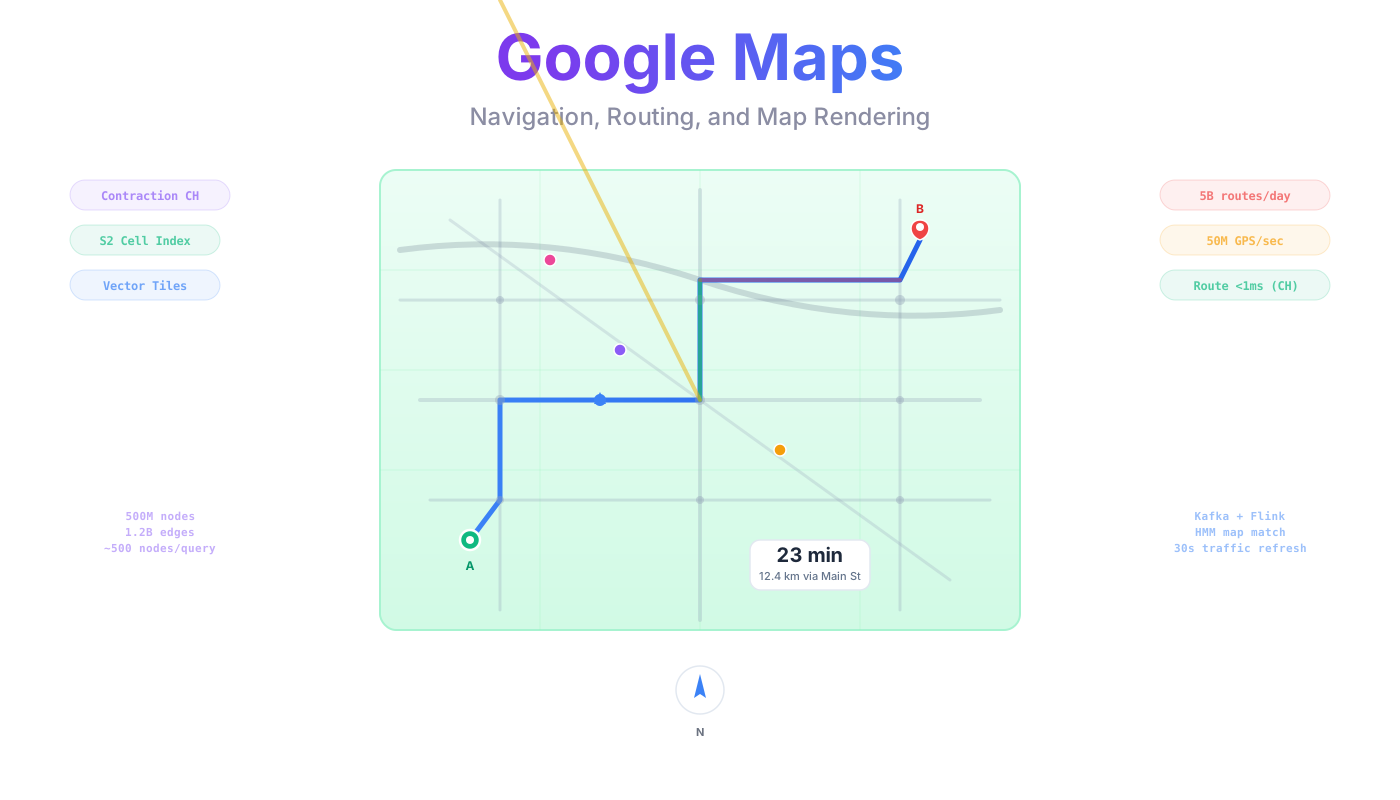
System Design: Google Maps (Navigation, Routing, and Map Rendering)
Goal: Build a mapping and navigation platform that serves 1 billion daily active users, renders map tiles for 20 billion tile requests per day, computes routes for 5 billion routing requests per day, and processes 50 million real-time location updates per second from navigators, background app users, fleet vehicles, and connected cars. Support turn-by-turn navigation, multi-modal routing (driving, walking, cycling, transit), real-time traffic overlays, offline maps, and POI search across 500 million points of interest in 200+ countries.
Reading guide: This post covers the full architecture of a Google Maps-like platform. It is long and detailed. Reading it linearly is not required.
Sections 1-8: Core architecture, data model, and API design
Section 4: Routing algorithms deep dive (Dijkstra, A*, Contraction Hierarchies) + geospatial indexing (Quadtree, Geohash, S2, H3) + tile rendering (raster vs vector) + comparison to Google's internal stack. The heart of this design.
Section 9: Implementation deep dives (tile serving, routing engine, real-time traffic, ETA, POI search, geocoding, navigation, multi-modal routing, offline maps, map data pipeline)
Sections 10-14: Operational concerns (bottlenecks, failures, deployment, observability, security)
New to maps/geo systems? Start with Sections 1-4. Section 4 walks through routing algorithms with concrete graph examples, step by step.
Building something similar? Sections 4-9 have the algorithm details, sizing math, and implementation deep dives.
Preparing for a system design interview? Sections 1-8 cover what interviewers expect. Section 4 (routing + geospatial indexing) is the most commonly asked follow-up. Sections 10-11 (bottlenecks and failures) round out the discussion.
TL;DR: S2 Cells for geospatial indexing, Contraction Hierarchies for sub-millisecond routing, vector tiles (MVT) served through a 3-tier CDN cache. Kafka ingests 50M GPS pings/sec (from navigators, background apps, fleet, and OEM vehicles), Flink aggregates real-time traffic per road segment, Redis serves hot traffic speeds to the routing engine. Road graph stored as a custom binary adjacency array with CH shortcuts, memory-mapped on routing servers. RAPTOR algorithm for transit routing. ETA prediction via heuristic baseline + ML (graph neural networks at Google-scale). The hardest problems: route computation at global scale (solved by CH preprocessing), real-time traffic integration into ETA, and tile serving at 20B requests/day (solved by aggressive caching at 95%+ CDN hit rate).
1. Problem Statement
A mapping and navigation platform answers three questions billions of times per day: "What does this area look like?" (map rendering), "How do I get from A to B?" (routing), and "What is nearby?" (search). Each question has a different computational profile and a different scaling challenge.
Three core problems make this hard:
-
Routing at scale. 5 billion route requests per day means ~58,000 routes per second. A road network is a weighted directed graph with hundreds of millions of nodes (intersections) and over a billion edges (road segments). Running Dijkstra's algorithm on the full graph takes seconds per query. At 58K queries/sec, that is computationally infeasible. The system must answer arbitrary point-to-point routes in under 200ms.
-
Map rendering. 20 billion tile requests per day across 23 zoom levels. Zoom 0 shows the entire world in a single tile. Zoom 18 shows individual buildings. The total tile space at zoom 18 alone is ~69 billion unique tiles. Generating tiles on the fly at this request rate is impossible. The system must serve tiles with < 50ms latency at the CDN edge.
-
Real-time traffic. 50 million location updates per second from all sources: active navigators (~15M/sec at 3-5 second intervals), background location sharing from app users not actively navigating (~10M/sec at 30-60 second intervals), fleet and logistics vehicles (~5M/sec), and OEM connected car telemetry (~20M/sec). Each GPS ping must be matched to the correct road segment, aggregated into road-level speed data, and reflected in ETA calculations within 30 seconds. Stale traffic data produces inaccurate ETAs that erode user trust.
-
Map freshness. The road graph and tile data are not static. Roads are built, demolished, rerouted. Buildings appear and disappear. Speed limits change. The system must continuously ingest data from three sources (satellite imagery, vehicle GPS probes, and community edits), validate it, and propagate changes to tiles and the routing graph within hours for critical updates. A map that shows a road demolished 6 months ago erodes trust as fast as a wrong ETA. The full data lifecycle runs: satellite imagery + vehicle probes + community edits -> validation -> PostgreSQL -> tile rebuild + graph reprocessing -> routing/ETA/navigation.
Scale: 1 billion DAU. 20 billion tile requests/day. 5 billion route requests/day. 50 million GPS location updates/sec. 500 million POI records. 200+ countries with road network data.
The core question: How to preprocess a road graph of hundreds of millions of nodes so that arbitrary point-to-point routes can be answered in milliseconds, not seconds, while reflecting real-time traffic conditions.
What NOT to do:
- Run Dijkstra on the full global graph for every route request (too slow by 1,000x)
- Rasterize map tiles on the fly for every request (CPU bankruptcy at 20B requests/day)
- Store every GPS ping in a relational database (50M writes/sec kills any RDBMS)
- Use a single global geospatial index for POI search (latency and partition bottleneck)
- Compute ETA from road distance alone without real-time traffic (estimates off by 2-5x in urban areas)
- Serve identical tile data at all zoom levels (bandwidth explosion, unusable rendering)
- Use Geohash as the primary spatial index (boundary discontinuities cause missed results)
- Rely solely on OpenStreetMap for road data freshness (community edits lag weeks to months behind reality)
- Treat the road graph as a static artifact rebuilt manually (it must be continuously updated from satellite + probe data)
2. Functional Requirements
| ID | Requirement | Priority |
|---|---|---|
| FR-01 | Map tile rendering and serving (vector tiles, 23 zoom levels) | P0 |
| FR-02 | Point-to-point routing (driving, walking, cycling) | P0 |
| FR-03 | Turn-by-turn navigation with real-time voice guidance | P0 |
| FR-04 | Real-time traffic overlay on map tiles | P0 |
| FR-05 | ETA calculation with traffic-aware predictions | P0 |
| FR-06 | POI search (text search + geospatial filtering + ranking) | P0 |
| FR-07 | Geocoding (address to coordinates) and reverse geocoding | P0 |
| FR-08 | Automatic re-routing on deviation from planned route | P0 |
| FR-09 | Multi-modal routing (driving + walking + transit combined) | P1 |
| FR-10 | Offline map download (tiles + routing graph for a region) | P1 |
| FR-11 | Traffic incident detection and reporting | P1 |
| FR-12 | Speed camera and hazard alerts | P1 |
| FR-13 | Historical traffic patterns for departure time planning | P1 |
| FR-14 | Street View imagery | P2 |
| FR-15 | Indoor maps for large venues (airports, malls) | P2 |
| FR-16 | Elevation-aware routing (cycling, walking) | P2 |
3. Non-Functional Requirements
| Requirement | Target |
|---|---|
| Route computation latency (p99) | < 200ms |
| Tile serving latency (p99) | < 50ms (CDN hit), < 200ms (origin) |
| ETA accuracy | Within 10% of actual travel time (p90) |
| POI search latency (p99) | < 100ms |
| Location update ingestion | 50M updates/sec sustained (all sources: navigators, background, fleet, OEM) |
| Map data freshness (traffic) | < 30 seconds from GPS update to map overlay |
| Availability | 99.99% |
| Offline map package generation | < 5 minutes for a metro area |
| Concurrent active navigators | 50M |
| Total POI records | 500M |
| Road network nodes (global) | ~500M intersections, ~1.2B road segments |
4. High-Level Approach & Technology Selection
This section is the centerpiece of the design. Three major topics are covered with concrete examples: routing algorithms (Dijkstra to A* to Contraction Hierarchies), geospatial indexing (Quadtree vs Geohash vs S2 vs H3), and tile rendering (raster vs vector). The technology choices follow directly from the constraints.
4.1 The Core Routing Problem
A road network is a weighted directed graph. Nodes are intersections. Edges are road segments. Edge weights represent travel time (segment length divided by speed limit, adjusted for real-time traffic). A route from point A to point B is the shortest weighted path in this graph.
The global road network has approximately 500 million nodes and 1.2 billion edges. Finding the shortest path on a graph this size requires an algorithm that scales. Three approaches exist, each building on the limitations of the previous one.
Where does this graph come from? Three data sources feed the road graph:
- OpenStreetMap and government datasets provide the baseline road network (road geometry, classifications, turn restrictions). OSM is updated daily via its replication feed. Government datasets add authoritative speed limits and road classifications.
- Satellite imagery (Maxar at 30cm resolution, Planet Labs for daily global coverage at 3-5m) feeds ML pipelines that detect new roads, buildings, and land use changes. A new highway visible in satellite imagery becomes a candidate road segment. Building footprints extracted from imagery feed the address database used by geocoding (Section 9.6).
- Vehicle probe data (GPS traces from 50M active navigators) reveals roads in practice: where vehicles actually drive, at what speed, and how traffic flows. Probe traces that consistently follow paths not in the graph signal new roads. Historical speed distributions reveal actual speed limits vs. posted ones. Braking events reveal road surface conditions.
These three sources are fused in a weekly map data pipeline (Section 9.10) that produces the road graph and tile data consumed by routing and rendering. The pipeline resolves conflicts using a source-priority hierarchy (Section 9.10) and requires dual confirmation for new road candidates.
4.2 Approach 1: Dijkstra's Algorithm
Concrete example. Consider this 6-node graph with travel times in minutes:
    A ---5--- B ---3--- C
    |         |         |
    2         7         4
    |         |         |
    D ---1--- E ---2--- F
Find the shortest path from A to F.
Step-by-step execution:
- Initialize:
dist = {A:0, B:inf, C:inf, D:inf, E:inf, F:inf}. Priority queue:[(0, A)]. - Pop A (cost 0). Relax neighbors: B=5, D=2. Queue:
[(2,D), (5,B)]. - Pop D (cost 2). Relax neighbor: E=2+1=3. Queue:
[(3,E), (5,B)]. - Pop E (cost 3). Relax neighbors: B=3+7=10 (no improvement over 5), F=3+2=5. Queue:
[(5,B), (5,F)]. - Pop B (cost 5). Relax neighbors: C=5+3=8, E=5+7=12 (no improvement). Queue:
[(5,F), (8,C)]. - Pop F (cost 5). Destination reached. Shortest path: A -> D -> E -> F, cost 5 minutes.
Dijkstra explored all 6 nodes to find this path. On a small graph, that is fine. On a real road network, the picture changes dramatically.
At city scale: A 50km route in a city touches roughly 50,000-100,000 intersections. Dijkstra explores nodes in expanding concentric circles from the source. For a 50km route, it explores almost every intersection within a 50km radius before finding the shortest path. That is 50,000-100,000 priority queue operations per query.
At global scale: At 58,000 route requests/sec, that is 5.8 billion node visits per second. Each visit involves a priority queue extraction and edge relaxation. This is computationally infeasible for a production system.
Time complexity: O((V + E) log V) per query, where V = nodes and E = edges.
4.3 Approach 2: A* Search
A* improves on Dijkstra by using a heuristic to steer the search toward the destination instead of expanding in all directions.
Same graph, same query (A to F). The heuristic: straight-line (Haversine) distance from each node to F, converted to a time estimate using the maximum possible speed. This heuristic is admissible (never overestimates), which guarantees A* finds the optimal path.
With the heuristic, A* expands D first (closer to F), then E, then reaches F without needing to fully explore B or C. On road networks, A* typically explores 3-5x fewer nodes than Dijkstra because the heuristic creates a cone-shaped search region pointed at the destination, rather than an expanding circle.
The limitation: A* reduces the search space by a constant factor (3-5x), but the number of nodes explored is still proportional to the distance between source and destination. A route from New York to Los Angeles still explores millions of nodes. A* alone cannot meet the < 200ms latency target for long-distance routes.
Time complexity: Still O((V + E) log V) worst case, but average case is 3-5x better than Dijkstra on road networks.
4.4 Approach 3: Contraction Hierarchies
Contraction Hierarchies (CH) is the production solution used by Google Maps, OSRM, and every major routing engine. It trades offline preprocessing time for 1,000x query speedup.
4.4.1 How CH Works (Concrete Example)
Consider a 7-node road network:
    A ---4--- B ---2--- C
    |                   |
    3                   5
    |                   |
    D ---1--- E ---1--- F ---3--- G
Step 1: Node ordering. Assign an importance level to every node. "Importance" is determined by:
- Edge difference: How many shortcut edges would be added vs. edges removed if this node is contracted? Fewer shortcuts = less important = contract first.
- Contracted neighbors: Nodes surrounded by already-contracted nodes get higher importance (avoid creating long shortcut chains).
In this example, E is least important (removing it requires only one shortcut: D-F with weight 2). B is moderately important (a through-route between A and C). A major highway interchange would be most important.
Step 2: Contraction (step by step).
Contract E (least important):
- Check: is the shortest D-to-F path through E? D->E->F = 1+1 = 2. Any alternative? No direct D-F edge exists. So add shortcut: D->F (weight 2).
- Remove E from the active graph. Assign E level 0.
Contract D (next least important):
- Check: is the shortest A-to-F path through D? A->D->F(shortcut) = 3+2 = 5. Alternative: A->B->C->F = 4+2+5 = 11. So add shortcut: A->F (weight 5).
- Remove D. Assign D level 1.
Continue contracting nodes in order of increasing importance. Each contraction may add shortcut edges that preserve shortest-path distances. After all nodes are processed, the graph contains the original edges plus shortcut edges. Each node has a level (its contraction order).
Step 3: The hierarchical property. After preprocessing, any shortest path can be decomposed into two segments:
- An upward segment from the source (visiting nodes of increasing level)
- A downward segment to the destination (visiting nodes of decreasing level)
The meeting point at the top is a high-importance node (highway interchange, major intersection).
4.4.2 Query Algorithm: Bidirectional Search
To find the shortest path from A to G:
- Forward search from A: only relax edges going to higher-level nodes. A explores B (level 3), then the shortcut A->F (level 2). It does NOT explore D (level 1, lower than A).
- Backward search from G: only relax edges going to higher-level nodes. G explores F (level 2), then C (level 4).
- The two searches meet when they find a common node. The shortest path through that node is the answer.
Because both searches only go "upward" in the hierarchy, they converge quickly. Each search explores a tiny fraction of the graph. On the global road network, a typical CH query explores 500-1,000 nodes total, regardless of whether the route is 5km or 5,000km.
Path unpacking: The query returns a path that may include shortcut edges. To recover the full turn-by-turn path, recursively unpack each shortcut. Shortcut D->F unpacks to D->E->F. This takes O(path length) time.
Bidirectional CH query pseudocode:

forward_queue  = [(0, source)]
backward_queue = [(0, target)]
best_cost = infinity

while forward_queue or backward_queue:
    // Forward step: pop min, relax only UPWARD edges
    if forward_queue:
        (cost, node) = pop_min(forward_queue)
        if cost >= best_cost: stop forward
        for (neighbor, weight) in upward_edges(node):
            new_cost = cost + weight
            if new_cost < dist_forward[neighbor]:
                dist_forward[neighbor] = new_cost
                push(forward_queue, (new_cost, neighbor))
            // Check if backward search reached this neighbor
            if neighbor in dist_backward:
                candidate = new_cost + dist_backward[neighbor]
                best_cost = min(best_cost, candidate)

    // Backward step: symmetric
    ...

return best_cost, unpack_path(meeting_node)
4.4.3 Concrete Performance Numbers
| Metric | Dijkstra | A* | Contraction Hierarchies |
|---|---|---|---|
| Preprocessing time | None | None | ~10 min (Germany, 4.7M nodes) |
| Nodes explored per query | ~2,000,000 | ~500,000 | ~500 |
| Query time | ~2 seconds | ~400ms | < 1ms |
| Speedup over Dijkstra | 1x | 3-5x | ~2,000x |
For the global road network (500M nodes): preprocessing takes 4-6 hours on a 128-core machine. The preprocessed graph (original edges + shortcut edges + node levels) is the artifact deployed to routing servers. Query time remains < 1ms regardless of route length.
4.4.4 Handling Real-Time Traffic
Standard CH preprocessing assumes static edge weights. Real-time traffic changes weights constantly. Two strategies:
-
Customizable Contraction Hierarchies (CCH): Preprocess the node ordering and hierarchy structure once (based on the road network topology, not weights). When traffic changes edge weights, only the shortcut weights need recalculation. A bottom-up update propagates weight changes through the hierarchy in ~100ms for a localized change. Full weight update across all shortcuts takes ~2 seconds. This allows real-time traffic integration without re-running the 4-6 hour preprocessing.
-
Metric-dependent CH: Maintain multiple CH instances for different traffic scenarios (free-flow, rush hour, weekend). Select the appropriate instance based on current conditions. Less flexible than CCH but simpler to implement.
A third approach, Customizable Route Planning (CRP), developed by Microsoft Research and used in Bing Maps, partitions the graph into cells and precomputes boundary distances. CRP trades slightly slower queries (~2-5ms vs. < 1ms for CH) for more flexible metric customization: fastest, shortest, eco-friendly, and truck-safe routes all from a single preprocessing pass. CCH requires separate shortcut weight sets per metric. For a platform supporting only driving/walking/cycling, CCH is the better fit. For logistics platforms needing dozens of vehicle profiles, CRP is worth evaluating.
Our choice: CCH. The node ordering is preprocessed weekly. Edge weights are updated every 30 seconds from the real-time traffic pipeline. Shortcut weights are recalculated incrementally.
What triggers a new graph version? The weekly map data pipeline (Section 9.10) merges validated changes from satellite change detection, probe-discovered roads, and OSM community edits. If topology changes (new intersections, deleted roads, reclassified segments) exceed a threshold, full CH preprocessing runs (~4-6 hours on a 128-core machine). Minor weight-only changes (speed limits from probe data, construction zones from satellite) are applied via CCH real-time weight updates without full reprocessing. This means a new road detected from satellite imagery takes up to a week to appear in routing, while a speed limit correction from probe data takes effect within 30 seconds.
4.5 Geospatial Indexing: Quadtree vs Geohash vs S2 Cells vs H3
Geospatial indexing supports four features: POI search ("coffee shops near me"), traffic aggregation (aggregate GPS pings by road segment), tile generation (which features belong in this tile), and geo-fencing (alert when entering a region). The choice of spatial index affects query performance, storage layout, and how well the system partitions data across shards.
Concrete example: "Find all coffee shops within 2km of latitude 40.7128, longitude -74.0060 (downtown Manhattan)." Walk through how each indexing scheme answers this query.
Quadtree
Recursively divide the 2D plane into four quadrants. Each division creates four child cells. Points are stored in leaf nodes. To query: find the leaf containing the query point, then check neighboring leaves that overlap the 2km radius circle.
Problem 1: The 2D plane does not match Earth's surface. Near the poles, quadtree cells represent vastly different ground areas. A cell that covers 1km at the equator covers only a few meters near the poles.
Problem 2: Quadtrees are an in-memory data structure. There is no standard encoding that maps to database range scans. Persisting a quadtree requires a custom storage layer.
Best for: In-memory spatial indexes (e.g., tile selection within a viewport).
Geohash
Encode latitude and longitude into a base-32 string by interleaving bits of lat and lng. Nearby points share a common prefix. To query: compute the geohash prefix length that covers the 2km radius, then range-scan the database for all entries with that prefix.
Example: lat 40.7128, lng -74.0060 encodes to geohash dr5ru7. All points starting with dr5ru are within the same geohash cell.
Problem: Boundary discontinuities. Two points 1 meter apart can have completely different geohash prefixes if they straddle a cell boundary. The query must check the target cell plus all 8 neighboring cells. Even worse, some neighbors share no common prefix at all, requiring separate range scans for each.
Best for: Simple proximity queries in Redis or DynamoDB where only prefix-based lookups are available.
S2 Cells
Project Earth onto the six faces of a cube, then subdivide each face using a Hilbert space-filling curve. Each cell gets a 64-bit integer ID. The Hilbert curve has a critical property: spatially nearby points get numerically nearby cell IDs. This means a circular geographic query ("within 2km") translates to a small number of contiguous integer ranges in the database.
To query: compute a "covering" for the 2km circle. The covering is a set of S2 cells (typically 4-8) that together cover the circle. Convert each cell to an integer range. Execute range scans on the database. Union the results.
Minimal boundary artifacts. The Hilbert curve is continuous across each cube face. Adjacent cells have nearby integer IDs. S2's covering algorithm handles the six cube-face boundaries transparently, so queries never miss results the way Geohash queries can. No need to check 8 neighbors separately.
30 levels of precision: Level 0 covers a cube face (~85M km2). Level 30 covers ~1 cm2. The application chooses the level appropriate for the query radius.
Best for: Production geospatial systems at scale. Used by Google Maps, Google Spanner, Uber, and Foursquare.
H3
Project Earth onto an icosahedron tiled with hexagons. Each hexagon has exactly 6 equal-distance neighbors (unlike squares, which have 4 edge-neighbors and 4 corner-neighbors at different distances). To query: find the hex containing the query point, then ring-expand outward to cover the 2km radius.
Advantage: Uniform neighbor distance makes aggregation intuitive. Demand heat maps, coverage analysis, and spatial binning are natural with hexagons.
Disadvantage: Parent-child containment is not exact (aperture-7 subdivision means child hexes do not perfectly tile the parent). Hilbert-curve locality is weaker than S2 for database range scans.
Best for: Analytics, visualization, and aggregation (heat maps, demand zones). Used by Uber (analytics), DoorDash, and Snap.
Comparison Table
| Dimension | Quadtree | Geohash | S2 Cells | H3 |
|---|---|---|---|---|
| Cell shape | Square | Rectangle | Quadrilateral (curved) | Hexagon |
| Projection | Flat 2D | Flat 2D | Sphere (cube face) | Sphere (icosahedron) |
| Boundary artifacts | Polar distortion | Edge discontinuities | Minimal (6 cube faces, handled by covering algorithm) | Minimal (12 pentagons) |
| Database indexing | Custom | String prefix range scan | Integer range scan (fastest) | Integer range scan |
| Spatial locality | Moderate | Weak at boundaries | Strong (Hilbert curve) | Moderate |
| Neighbor traversal | Pointer chasing | Complex (8 neighbors) | Cell ID arithmetic | Simple (6 uniform) |
| Best for | In-memory spatial index | Simple proximity, Redis | Production geo at scale | Analytics, visualization |
| Used by | Legacy map renderers | Redis, Elasticsearch | Google Maps, Uber, Spanner | Uber analytics, DoorDash |
Our choice: S2 Cells for POI indexing, traffic aggregation, tile partitioning, and data sharding. S2 provides the strongest spatial locality for database range scans (critical at 500M POI records and 50M location updates/sec) and zero boundary artifacts. H3 is used as a secondary index for analytics dashboards (traffic heat maps, demand visualization).
For deeper coverage of spatial indexing technologies, see Google S2, H3, PostGIS, and Tile38.
4.6 Map Rendering: Raster Tiles vs Vector Tiles
Map tiles are the visual representation of geographic data. The map is divided into a grid of tiles at each zoom level.
Raster tiles are pre-rendered PNG or JPEG images. Each tile is 256x256 pixels. At zoom 18 (building-level detail), the world is divided into ~69 billion tiles. Each tile must be pre-rendered for every visual style (light mode, dark mode, satellite, terrain). Storage: ~150 KB per tile. For 5 styles at zoom 0-18: hundreds of petabytes.
Advantages: No client-side rendering compute. Works on any device. Simple to serve (static files on a CDN). Disadvantages: Static (no dynamic styling, rotation, or 3D tilt without re-rendering). Massive storage. Updating a single road requires re-rendering all affected tiles across all zoom levels and all styles.
Vector tiles encode geographic data as geometric primitives (points, lines, polygons) in a compact binary format (Mapbox Vector Tiles / Protocol Buffers). The client renders them into pixels using GPU-accelerated rendering (WebGL on the web, Metal on iOS, Vulkan on Android).
Advantages: 10-50x smaller than raster tiles (~15 KB vs ~150 KB per tile). Dynamic styling (switch between light/dark mode without re-downloading). Smooth rotation and 3D tilt. Updating data only requires regenerating the vector tile, not re-rendering for every style. One set of vector tiles serves all visual themes. Disadvantages: Requires client GPU capability. More complex rendering pipeline. Older/low-power devices may struggle.
| Dimension | Raster Tiles | Vector Tiles |
|---|---|---|
| Tile size (avg) | ~150 KB | ~15 KB |
| Storage (all zooms, 1 style) | ~500 TB | ~50 TB |
| Dynamic styling | No (new style = new tiles) | Yes (client applies style) |
| Smooth rotation / 3D | No | Yes |
| Client compute | None | GPU rendering required |
| Update a road | Re-render all affected tiles x styles | Re-generate one vector tile |
| Bandwidth per session | ~50 MB | ~5 MB |
Where satellite imagery fits: Satellite tiles are always raster (pixel data cannot be vectorized into geometric primitives). The client composites three layers:
- Satellite raster tiles (bottom layer): actual imagery of terrain, buildings, vegetation from providers like Maxar (30cm) and Planet Labs (3-5m daily).
- Vector base map tiles (middle layer): roads, boundaries, water bodies as styled geometry.
- Traffic overlay tiles (top layer): color-coded road segment speeds from the real-time traffic pipeline.
In "satellite view" mode, the satellite raster layer is fully opaque with semi-transparent vector roads and labels overlaid. In "map view" mode, only vector tiles render. Satellite tile storage adds ~200 TB for global coverage across 3 imagery versions (current + 2 historical for the "historical imagery" feature).
Satellite imagery also feeds the tile generation pipeline indirectly: ML models extract building footprints and land use polygons from imagery. These features become part of the vector tile data at zoom levels 13+ (building outlines visible). The satellite processing pipeline that produces both the imagery tiles and the ML-extracted features is described in Section 9.10.
Our choice: Vector tiles as the primary format. Raster tiles are generated on demand as a fallback for legacy devices and low-bandwidth scenarios. Vector tiles reduce storage by 10x, bandwidth by 10x, and enable dynamic styling without re-generation.
4.7 Technology Selection
| Component | Technology | Why |
|---|---|---|
| Routing algorithm | Contraction Hierarchies (CCH variant) | < 1ms queries, handles real-time traffic weight updates |
| Geospatial indexing | Google S2 Cells | Hilbert curve locality, 64-bit integer range scans, no boundary artifacts |
| Tile format | Mapbox Vector Tiles (MVT) | 10-50x smaller, dynamic styling, GPU rendering |
| Tile serving | CloudFront CDN + origin tile servers | 20B requests/day, CDN absorbs 95%+ |
| Road graph storage | Custom binary (memory-mapped adjacency array) | Cache-friendly, avoids deserialization |
| Traffic ingestion | Apache Kafka | 50M updates/sec, partitioned by S2 cell, replay for recovery |
| Traffic aggregation | Apache Flink | Windowed speed computation per road segment, exactly-once |
| POI search | Elasticsearch + S2 cell routing | Combined text + geo query DSL, autocomplete |
| POI cold storage | PostgreSQL + PostGIS | Complex spatial queries, batch processing |
| Location tracking (hot) | Redis + Tile38 | Sub-ms reads for active navigator positions |
| Geocoding | Custom trie + Elasticsearch | Address parsing + fuzzy matching |
| Offline map packages | Amazon S3 | Pre-built region packages, CDN delivery |
| Transit data | GTFS + GTFS-Realtime | Standard format for schedules and real-time delays |
4.8 How These Choices Map to Google's Internal Stack
The algorithms in this design are the same ones Google uses. Google created several of them. The infrastructure components are open-source equivalents of Google's proprietary systems. A reader implementing this design at a non-Google company would use exactly the stack described above. Here is the mapping:
| Component | This Design | Google Internal | Match |
|---|---|---|---|
| Routing | Contraction Hierarchies (CCH) | CH variants (developed at KIT by Geisberger/Sanders, adopted by Google) | Exact |
| Geospatial index | S2 Cells | S2 (Google created and open-sourced it) | Exact |
| Map matching | HMM + Viterbi | HMM-based map matching | Exact |
| Transit routing | GTFS + RAPTOR | GTFS (Google co-created the format) + custom transit engine | Exact |
| Tile format | MVT (protobuf) | Custom protobuf-based vector tiles | Same concept |
| Streaming | Apache Kafka | Google Pub/Sub | Equivalent |
| Stream processing | Apache Flink | Dataflow / MillWheel (Google created Apache Beam, which runs on both) | Equivalent |
| POI search | Elasticsearch | Custom geo-sharded inverted index | Equivalent |
| POI storage | PostgreSQL + PostGIS | Spanner (globally distributed, S2-indexed) | Equivalent |
| Real-time cache | Redis | Memcache + Bigtable hot tier | Equivalent |
| Object storage | Amazon S3 | Colossus (GFS successor) | Equivalent |
| CDN | CloudFront | Google Global Cache / Edge Network | Equivalent |
| Location tracking | Redis + Tile38 | Custom location infrastructure | Equivalent |
| Road graph | Custom binary mmap | Custom binary mmap | Exact |
| ETA prediction | Heuristic blend + ML (Section 9.4) | DeepMind GNN | Baseline + production approach covered |
The algorithms are not approximations. CH was developed at Karlsruhe Institute of Technology (Geisberger, Sanders, Schultes, Vetter) and adopted by Google for production routing. S2 was created at Google and open-sourced. HMM map matching is the industry standard since Newson and Krumm 2009. GTFS was co-created by Google and TriMet. Five of the fourteen components are exact algorithmic matches. The one major area where Google's production system diverges from this design is ETA prediction: Google uses a DeepMind graph neural network rather than the heuristic blend described in Section 9.4 (which covers both approaches).
Infrastructure is where Google diverges. Bigtable, Spanner, Pub/Sub, Dataflow, and Colossus were built before the open-source equivalents existed. Kafka was inspired partly by Google's internal messaging systems. Apache Beam (the programming model for both Flink and Dataflow) was created by Google. The open-source stack in this design is what any company that is not Google, Microsoft, or Amazon would use to build this system. The conceptual architecture is identical; only the implementation layer changes.
Where scale pushes the open-source limits. Three pressure points at Google-level scale:
- PostgreSQL at 500M POIs and 100K QPS: feasible with read replicas + PgBouncer connection pooling. At multi-billion records or global distribution, migrate to CockroachDB, Vitess-sharded MySQL, or managed Spanner.
- Elasticsearch at 500M POIs: needs 10+ data nodes with 30-50 GB per shard sizing. For the hottest geo-only queries ("coffee near me"), consider a dedicated S2-based lookup cache in Redis to offload Elasticsearch.
- Redis at 200M road segments: Redis Cluster with 6+ nodes handles this (~20 GB memory, well within limits). If persistence guarantees matter, layer DragonflyDB or enable Redis AOF persistence.
5. High-Level Architecture
5.1 Bird's-Eye View
5.2 Component Glossary
(1) Tile Request. The map renderer requests vector tiles for the visible viewport. Tile coordinates follow the standard z/x/y scheme (zoom level, column, row).
(2) CDN and Origin. CloudFront serves 95%+ of tile requests from edge cache. Cache misses go to origin tile servers, which read pre-built tiles from S3. For dynamic overlays (traffic), the CDN TTL is 30 seconds.
(3) Route Request. The client sends origin/destination coordinates and transport mode. The request is routed to the regional CH query server responsible for that geographic area.
(4) Cross-Region Routes. Routes that cross region boundaries are handled by the transit node overlay, which stitches regional path segments together at border nodes.
(5) Traffic-Aware Routing. The CH query server reads real-time segment speeds from Redis to apply current traffic weights during the route computation.
(6) GPS Updates. Active navigators send location updates every 3-5 seconds (~15M/sec). Background app users, fleet vehicles, and OEM connected cars contribute an additional ~35M/sec at lower frequencies. All updates flow into Kafka, partitioned by S2 cell at level 12 (~4,000 partitions globally).
(7) Traffic Tile Generation. Flink outputs aggregated road segment speeds. A traffic tile builder encodes speed data into a separate traffic overlay tile layer, stored in S3 with 30-second TTL on the CDN.
(8) POI Search. Text + geospatial queries go to Elasticsearch. Complex spatial operations fall back to PostgreSQL + PostGIS.
(9) Map Data Acquisition. Three data sources feed the map: satellite imagery (Maxar, Planet Labs) processed through ML change detection, vehicle probe data aggregated from navigator GPS traces (road discovery, speed limits, road conditions), and OpenStreetMap community edits. The Map Data Validator merges these sources, resolves conflicts, and commits validated changes to PostgreSQL.
(10) Tile and Graph Updates. Validated map changes trigger tile rebuilds for affected z/x/y coordinates and are queued for the next weekly CH graph preprocessing. Critical changes (road closures, new highways) are fast-tracked via CCH weight updates within minutes.
(11) Weekly Graph Rebuild. Topology changes from the map data pipeline trigger full CH preprocessing weekly. The new road graph binary is deployed to routing servers via S3 with zero-downtime swap (Section 12.4).
(12) Weather Data. Weather forecasts from a weather data provider feed the ML ETA model. Current conditions affect near-term route segments; forecast conditions affect segments the driver will reach in 30+ minutes (Section 9.4).
(13) Incident Reports. User-submitted incident reports (accidents, police, hazards) flow into Kafka alongside GPS location updates. Reports are validated by proximity and corroboration, then feed the incident detector and routing engine via CCH weight overrides (Section 9.3).
6. Back-of-the-Envelope Estimation
Map Tiles
  Zoom levels:                            23 (0 to 22)
  Total tiles at zoom 18:                 ~69 billion
  Vector tile avg size:                   15 KB
  Total tile storage (all zooms):         ~50 TB (vector)
  Tile requests/day:                      20 billion
  Tile requests/sec (avg):                ~231K
  CDN hit rate:                           95%
  Origin tile requests/sec:               ~11.5K

Routing
  Route requests/day:                     5 billion
  Route requests/sec (avg):               ~58K
  Route requests/sec (peak 3x):           ~174K
  CH query time:                          < 1ms
  Routing servers (at 10K queries/sec):   6 (avg), 18 (peak) per region
  Road graph in memory (with shortcuts):  ~60 GB global, ~5-12 GB per region shard

Traffic
  Active navigators:                      50 million
  Total location sources:                 ~200M (navigators + background + fleet + OEM)
  Location updates/sec:                   50 million (all sources combined)
  Avg update size:                        100 bytes (lat, lng, speed, heading, ts)
  Ingestion bandwidth:                    5 GB/sec
  Road segments (global):                 ~1.2 billion
  Segments with live traffic data:        ~200 million

POI
  Total POI records:                      500 million
  Avg POI record size:                    2 KB
  Total POI storage:                      1 TB
  POI search QPS:                         ~100K

Storage Summary
  Vector tiles (all zooms):               50 TB
  Road graph (CH preprocessed):           ~60 GB per region shard set
  Traffic history (30 days):              ~500 TB
  POI data:                               1 TB
  GPS location updates (7 days hot):      ~3 PB
  Offline map packages:                   ~200 TB
  Street View imagery:                    ~500 TB
  Satellite imagery (global, 3 versions): ~600 TB
  Satellite processing artifacts:         ~50 TB
  Vehicle probe traces (90 days raw):     ~200 TB
  Road discovery candidates:              ~100 GB
  Map change detection logs:              ~10 TB
7. Data Model
7.1 Road Graph (Custom Binary Format)
The road graph is stored as a cache-friendly adjacency array, memory-mapped on routing servers. No deserialization on startup; the OS pages data from disk to RAM on demand.
Node {
  id:           uint64      // globally unique node ID
  lat:          float32     // latitude
  lng:          float32     // longitude
  s2_cell_id:   uint64      // S2 cell at level 16
  ch_level:     uint16      // contraction hierarchy level
  edge_offset:  uint32      // index into edge array
  edge_count:   uint16      // number of outgoing edges
}

Edge {
  target_node:  uint64      // destination node ID
  weight_ms:    uint32      // travel time in milliseconds (static)
  distance_m:   uint32      // distance in meters
  road_class:   uint8       // motorway=1, trunk=2, primary=3, ...
  flags:        uint16      // one_way, toll, ferry, tunnel, bridge
}

Shortcut {
  target_node:  uint64      // destination node ID
  weight_ms:    uint32      // shortcut weight (sum of constituent edges)
  middle_node:  uint64      // for path unpacking
}
7.2 Tile Metadata (PostgreSQL)
CREATE TABLE tile_metadata (
    z           SMALLINT NOT NULL,        -- zoom level (0-22)
    x           INTEGER NOT NULL,         -- tile column
    y           INTEGER NOT NULL,         -- tile row
    version     BIGINT NOT NULL DEFAULT 1,
    size_bytes  INTEGER,
    etag        TEXT,
    updated_at  TIMESTAMPTZ NOT NULL DEFAULT NOW(),
    PRIMARY KEY (z, x, y)
);
7.3 POI Schema
Elasticsearch document:
{
  "poi_id": "poi-12345",
  "name": "Blue Bottle Coffee",
  "category": ["cafe", "coffee_shop"],
  "address": "450 W 15th St, New York, NY 10011",
  "location": { "lat": 40.7420, "lon": -74.0068 },
  "s2_cell_l12": 9749618424903,
  "rating": 4.5,
  "review_count": 342,
  "price_level": 2,
  "hours": { "mon": "07:00-19:00", "tue": "07:00-19:00" },
  "photos": ["s3://poi-media/poi-12345/1.jpg"],
  "updated_at": "2026-03-09T14:30:00Z"
}
PostgreSQL source of truth:
CREATE TABLE pois (
    id              UUID PRIMARY KEY,
    name            TEXT NOT NULL,
    category        TEXT[] NOT NULL,
    location        GEOMETRY(Point, 4326) NOT NULL,
    s2_cell_l12     BIGINT NOT NULL,
    address         JSONB,
    rating          NUMERIC(2,1),
    review_count    INTEGER DEFAULT 0,
    price_level     SMALLINT,
    hours           JSONB,
    created_at      TIMESTAMPTZ DEFAULT NOW(),
    updated_at      TIMESTAMPTZ DEFAULT NOW()
);
CREATE INDEX idx_pois_s2 ON pois (s2_cell_l12);
CREATE INDEX idx_pois_geo ON pois USING GIST (location);
7.4 Traffic Segment (Redis + PostgreSQL)
Redis (hot, real-time):
Key:   segment:{segment_id}
Value: { "speed_kmh": 45, "free_flow_kmh": 65, "samples": 23,
         "confidence": 0.92, "updated_at": 1710087600 }
TTL:   120 seconds (auto-expire stale data)
PostgreSQL (cold, historical):
CREATE TABLE traffic_history (
    segment_id      BIGINT NOT NULL,
    timestamp       TIMESTAMPTZ NOT NULL,
    speed_kmh       SMALLINT,
    sample_count    SMALLINT,
    day_of_week     SMALLINT,      -- 0=Mon, 6=Sun
    time_slot       SMALLINT       -- 0-95 (15-min intervals)
) PARTITION BY RANGE (timestamp);
7.5 Satellite Imagery Metadata
CREATE TABLE satellite_imagery (
    z               SMALLINT NOT NULL,
    x               INTEGER NOT NULL,
    y               INTEGER NOT NULL,
    version         SMALLINT NOT NULL DEFAULT 1,
    source          TEXT NOT NULL,           -- maxar, planet, airbus, aerial
    acquired_at     DATE NOT NULL,
    cloud_pct       SMALLINT,
    resolution_cm   SMALLINT,
    s3_key          TEXT NOT NULL,
    PRIMARY KEY (z, x, y, version)
);
7.6 Vehicle Probe Aggregates and Road Candidates
CREATE TABLE probe_aggregates (
    segment_id      BIGINT NOT NULL,
    date            DATE NOT NULL,
    trace_count     INTEGER NOT NULL,
    p85_speed_kmh   SMALLINT,
    braking_events  INTEGER DEFAULT 0,
    source          TEXT,                   -- navigator, fleet, oem
    PRIMARY KEY (segment_id, date)
) PARTITION BY RANGE (date);

CREATE TABLE road_candidates (
    id              UUID PRIMARY KEY,
    geometry        GEOMETRY(LineString, 4326),
    source          TEXT NOT NULL,           -- probe_cluster, satellite, manual
    confidence      NUMERIC(3,2),
    probe_count     INTEGER,
    first_seen      TIMESTAMPTZ,
    satellite_confirmed BOOLEAN DEFAULT FALSE,
    status          TEXT DEFAULT 'pending',  -- pending, accepted, rejected
    created_at      TIMESTAMPTZ DEFAULT NOW()
);
The probe_aggregates table is partitioned by date and feeds the speed limit inference and road condition scoring pipelines (Section 9.3). The road_candidates table tracks potential new roads discovered from probe clustering or satellite change detection, requiring dual confirmation before entering the road graph (Section 9.10).
8. API Design
8.1 REST Endpoints
| Method | Endpoint | Description |
|---|---|---|
| GET | /api/tiles/{z}/{x}/{y}.mvt | Get vector tile (Mapbox Vector Tile format) |
| GET | /api/tiles/{z}/{x}/{y}.png | Get raster tile fallback |
| GET | /api/tiles/traffic/{z}/{x}/{y}.mvt | Get traffic overlay tile (30s TTL) |
| GET | /api/routes | Compute route (params: origin, dest, mode, depart_time, avoid) |
| GET | /api/routes/alternatives | Compute route with 2-3 alternatives |
| GET | /api/search/places | POI search (params: q, lat, lng, radius, category) |
| GET | /api/search/autocomplete | Autocomplete (params: q, lat, lng, session_token) |
| GET | /api/geocode | Forward geocode (params: address) |
| GET | /api/reverse-geocode | Reverse geocode (params: lat, lng) |
| POST | /api/navigation/start | Start navigation (body: route_id, returns session_id + full guidance) |
| POST | /api/navigation/{id}/end | End navigation session |
| GET | /api/offline/packages | List available offline packages by region |
| GET | /api/offline/packages/{region} | Download offline package |
8.2 Navigation WebSocket Protocol
Connection: wss://nav.example.com/session/{session_id}?token=<JWT>
| Message Type | Direction | Payload | Purpose |
|---|---|---|---|
location | Client -> Server | { lat, lng, speed, heading, ts } | GPS update every 3-5s |
guidance | Server -> Client | { maneuver, distance_m, instruction, lane_info } | Next turn instruction |
eta_update | Server -> Client | { eta_minutes, distance_km, traffic_delay_min } | Updated ETA |
reroute | Server -> Client | { new_route, reason } | Full route replacement on deviation |
incident | Server -> Client | { type, location, description } | Nearby traffic incident |
ping/pong | Bidirectional | (empty) | Heartbeat every 15s |
The search-to-route flow. Most user journeys start with a search query, not raw coordinates. The client calls /api/search/autocomplete as the user types, which returns POI results or geocoded addresses with coordinates. When the user selects a result, the client already has lat/lng coordinates and can immediately call /api/routes without a separate geocoding step. Direct address input (typed into the "destination" field) triggers /api/geocode to resolve the address to coordinates before routing. The full input-to-coordinates flow is detailed in Section 9.6.
9. Deep Dives
9.1 Map Tile Serving Pipeline
Tile pyramid. The world is divided into a grid of tiles at each zoom level. Zoom 0 = 1 tile (the entire world). Each zoom level quadruples the number of tiles: zoom 1 = 4, zoom 2 = 16, ..., zoom 18 = 4^18 = ~69 billion tiles. The total across all zoom levels is ~92 billion tiles.
Vector tile generation pipeline:
-
Raw geodata from satellite imagery, vehicle probes, and OpenStreetMap is merged in PostgreSQL + PostGIS via the map data pipeline (Section 9.10). A daily data fusion job commits validated changes to PostgreSQL and triggers tile invalidation for affected z/x/y coordinates.
-
Tile builder (batch job, runs on data update): for each tile coordinate (z/x/y), query PostGIS for all features intersecting that tile's bounding box. Filter features by zoom level (zoom 5 shows highways but not residential streets). Simplify geometry (reduce polygon vertex count for lower zoom levels). Clip features to tile boundary.
-
Encode into Mapbox Vector Tile format (Protocol Buffers). Each tile contains layers: roads, buildings, water, land use, labels.
-
Store in S3. Key pattern:
tiles/{z}/{x}/{y}.mvt.
3-tier caching:
| Tier | Technology | Hit Rate | Latency | Scope |
|---|---|---|---|---|
| CDN edge | CloudFront | 95% | < 20ms | Global, 400+ edge locations |
| Regional cache | Redis cluster | 4% | < 5ms | Per-region, hot tiles in memory |
| Origin | Tile server + S3 | 1% | < 200ms | Tile lookup or on-demand generation |
Tile invalidation. When road data updates, compute which tiles are affected using S2 coverings (which z/x/y tiles overlap the changed geometry). Invalidate those tiles in the CDN and regional cache. Propagate invalidation upward to lower zoom levels (a road change at zoom 18 also affects the zoom 14 tile that contains it).
Dynamic traffic overlay. Traffic tiles are a separate layer from base map tiles. The traffic tile builder reads real-time segment speeds from Redis, encodes speed-colored road segments into vector tiles, and writes them to S3 with a 30-second TTL on the CDN.
9.2 Routing Engine Internals
Graph representation. The road graph is stored as an adjacency array: a flat array of nodes and a flat array of edges. Node i's outgoing edges are at edges[node[i].edge_offset .. node[i].edge_offset + node[i].edge_count]. This is cache-friendly because sequential edge scans hit contiguous memory. The entire structure is memory-mapped from a binary file. No deserialization step on server startup; the OS pages data from disk as accessed.
Regional sharding. The global graph (~500M nodes) is split into ~50 region shards, each covering a geographic area (e.g., Western Europe, Eastern US, Southeast Asia). Each routing server loads one or more region shards (~5-12 GB per shard).
Cross-region routing. Routes that cross shard boundaries are handled by a transit node overlay. At preprocessing time, the system identifies "border nodes" where roads cross region boundaries. An overlay graph connects all border nodes with precomputed shortest-path distances. Cross-region routing: (1) route from origin to the nearest border node within the origin shard, (2) route through the overlay graph, (3) route from the border node to the destination within the destination shard. Total query time: ~3-5ms (3 CH queries).
CCH weight updates. Every 30 seconds, the routing server reads updated segment speeds from Redis. For changed segments, it updates edge weights in the adjacency array and triggers a bottom-up shortcut weight recalculation. Only shortcuts whose constituent edges changed need updating. This typically takes < 500ms for a batch of 10,000 changed segments. The full weekly graph rebuild and deployment pipeline is described in Section 12.4.
Alternative routes. The penalty method: (1) compute the optimal route, (2) penalize all edges on that route (multiply weights by 2x), (3) recompute. The second route avoids the first route's path. (4) Optionally repeat for a third alternative. Each alternative query takes < 1ms with CH.
9.3 Real-Time Traffic
Ingestion. 50 million GPS pings/sec flow into Kafka from multiple sources: active navigators (~15M/sec at 3-5 second intervals), background app users (~10M/sec), fleet vehicles (~5M/sec), and OEM connected car telemetry (~20M/sec). Each ping: { user_id_hash, lat, lng, speed_kmh, heading_degrees, timestamp, source_type }. Kafka is partitioned by S2 cell at level 12 (~4,000 partitions globally). This ensures all pings from the same geographic area land on the same partition, simplifying downstream aggregation.
Map matching. Raw GPS coordinates have 5-10m accuracy. A ping near a highway overpass could belong to the highway or the road below it. Map matching determines which road segment the vehicle is actually on.
The standard approach: Hidden Markov Model (HMM).
- Emission probability: How likely is this GPS point given the vehicle is on road segment S? Based on the distance from the GPS point to the segment (Gaussian distribution, sigma = GPS accuracy).
- Transition probability: How likely is the vehicle to move from segment S1 to segment S2 between consecutive pings? Based on the routing distance between the segments vs. the straight-line distance between the GPS points (similar values = plausible transition).
- Viterbi algorithm: Find the most likely sequence of road segments given the sequence of GPS observations. This handles ambiguous cases (overpasses, parallel roads) by considering the full trajectory.
Performance optimization: HMM map matching costs ~0.5ms per GPS point. At 50M points/sec, that requires 25,000 CPU cores. Optimization: use lightweight geometric snapping (snap to nearest road within 10m) for straight-road segments where there is no ambiguity. Reserve HMM for complex intersections, overpasses, and highway interchanges. This reduces HMM calls by ~80%.
Speed aggregation. Flink processes map-matched GPS points with a 30-second tumbling window per road segment:
- Collect all matched speed observations for each segment in the window.
- Compute median speed (robust to outliers from GPS noise or stopped vehicles at traffic lights).
- Compute sample count and confidence score (more samples = higher confidence).
- Write to Redis:
segment:{id} -> { speed_kmh, samples, confidence, updated_at }. - Publish segment speed updates to the traffic tile builder.
Incident detection. If the median speed on a segment drops below 20% of its free-flow speed for 2+ consecutive windows (60 seconds) with 5+ samples, an incident is flagged. Incident data is published to the navigation service for real-time alerts to affected navigators.
Crowdsourced incident reporting. Beyond automated detection from probe speed anomalies, user-submitted reports (accidents, police presence, road hazards, closures) provide a second signal layer. This is the Waze model: a driver taps "report" in the app, the report is geotagged and categorized, and nearby navigators receive alerts. Reports are validated by proximity (is the reporter on the segment?) and corroboration (multiple independent reports within 5 minutes increase confidence). Confirmed reports feed back into the routing engine as temporary edge weight penalties or blockages via CCH weight overrides, and into the traffic tile overlay as incident markers.
Vehicle GPS traces also power batch intelligence beyond real-time traffic: road discovery, speed limit inference, road condition scoring, and construction zone detection. These batch processes are described in the vehicle probe processing pipeline (Section 9.10).
9.4 ETA Calculation
Baseline ETA. The CH route returns a sequence of road segments with travel times based on speed limits. Sum the segment travel times. This is the free-flow ETA, accurate at 3 AM but off by 2-5x during rush hour.
Traffic-aware ETA. Replace speed-limit weights with real-time speeds from the traffic pipeline (Redis). For segments without real-time data (low-traffic rural roads, or segments with < 3 samples), fall back to the speed limit. This handles current conditions but not future conditions along the route.
Historical patterns. For each road segment, maintain a 7x96 matrix: 7 days of the week, 96 time slots per day (15-minute intervals). Each cell stores the historical median speed. Built from the traffic history table in PostgreSQL (aggregated nightly). This captures recurring patterns: Monday morning rush on I-95, Saturday afternoon congestion near shopping centers.
Predictive ETA. For a 2-hour drive, conditions will change during the trip. The predictive ETA algorithm:
- Compute the route using current traffic weights.
- For each segment S along the route, estimate the arrival time at S based on cumulative travel time.
- Look up the historical speed for S at that predicted arrival time's day-of-week and time-slot.
- Blend real-time and historical: if the segment has real-time data with high confidence, weight it 80%. Otherwise, weight historical 80%.
- Recompute cumulative travel times with the blended speeds.
- Iterate once more (the changed travel times shift arrival times, which may change the historical lookup).
Two iterations are sufficient for convergence in practice.
Data-source-aware adjustments. Beyond real-time and historical traffic, ETA incorporates signals from the broader data pipeline (Section 9.10):
- Construction zones (detected from probe speed anomalies or satellite change detection): multiply segment weight by 1.5-3x depending on severity.
- Road condition (from probe braking events, Section 9.3): add 5-10% to travel time for segments with poor condition scores in comfort-optimized routing.
- Unverified road segments (low probe count, old satellite imagery): widen the ETA confidence interval. Display "25-35 min" instead of "28 min" when routing through low-confidence segments. This is especially common in developing regions where road data comes primarily from satellite extraction rather than probe confirmation.
Confidence interval. The historical data also stores speed variance. High variance (school zone: 50 km/h at 2 PM, 15 km/h at 3 PM school pickup) produces a wide ETA range. The client displays "35-45 min" when variance is high and "38 min" when variance is low.
ML-based ETA (production approach). The heuristic blend above is an implementable baseline, but every major mapping platform now uses ML models for ETA prediction. Google Maps uses a graph neural network (GNN) developed with DeepMind (published 2020) that reduced ETA error by 40-50% over heuristic blending. The GNN takes the road graph topology as input: not just the route's segments, but surrounding road segments that could experience spillover congestion. It combines real-time speeds, historical patterns, time-of-day, day-of-week, weather conditions, and special events (concerts, sports games) into a single prediction. The key insight is that a GNN can learn non-obvious interactions: congestion on a highway exit ramp affects surface streets 2 blocks away, something the heuristic blend misses entirely.
Uber's DeepETA uses linear transformers with geospatial embeddings via multi-resolution grids. Feature tokenization (bucketizing continuous features like distance, speed, time-of-day into discrete tokens) outperforms raw continuous input, counterintuitively. DoorDash reports their transformer-based ETA model achieves 7% accuracy improvement over XGBoost at 39% of the compute cost. The architecture that scales: train a GNN or transformer offline on historical trip completion data, serve predictions at query time with < 5ms latency using a feature store that combines real-time traffic, historical patterns, and contextual signals. The heuristic blend in this section remains the right starting point for teams without ML infrastructure. But at Google-scale, the ML model is the production system.
Weather integration. Rain reduces average speeds by 10-15%, snow by 20-40%, fog by 15-25%. The ETA model incorporates weather forecasts from a weather data provider (OpenWeather, Tomorrow.io) as a feature. Current conditions affect near-term segments; forecast conditions affect segments the driver will reach in 30+ minutes. Weather is especially impactful for predictive ETA on long routes.
9.5 Places/POI Search
Index architecture. Elasticsearch cluster with index routing by S2 cell at level 8. Each POI document is indexed with its S2 cell ID, enabling geographic routing of queries to the correct Elasticsearch shard.
Query flow:
- Parse query text: "Italian restaurants" -> category filter
italian+ type filterrestaurant. - Geocode location context: use the client's current lat/lng.
- Compute S2 cell covering for the search radius (default 5km, configurable).
- Elasticsearch bool query:
must: [text match on name/category],filter: [geo_distance(location, center, radius)]. - Re-rank results by composite score:
0.4 * text_relevance + 0.3 * distance_score + 0.2 * rating + 0.1 * popularity.
Autocomplete. As the user types, the client sends prefix queries every 100ms (debounced). Elasticsearch uses an edge-ngram tokenizer on the name field for prefix matching. Results are ranked by popularity within the user's S2 cell region. Target latency: < 50ms.
POI freshness. Business data changes frequently (hours, ratings, closures). A Kafka CDC pipeline streams changes from the PostgreSQL source-of-truth POI database to Elasticsearch. Propagation delay: < 5 minutes for normal updates, < 30 seconds for critical updates (closure, safety alerts).
9.6 Geocoding: From User Input to Coordinates
When a user types "Starbucks near Times Square" or "123 Main St, NYC" into the search box, the system must resolve that text into geographic coordinates (latitude, longitude) before anything else can happen. No pin on the map, no route, no ETA without coordinates. Different input types require different resolution pipelines.
Input classification. The first step is determining what kind of input the user provided:
| Input Type | Example | Resolution Pipeline |
|---|---|---|
| Coordinate pair | "40.7580, -73.9855" | Direct parse (no geocoding needed) |
| Plus Code | "87G8Q2PQ+VR" | Decode (fixed algorithm, no DB lookup) |
| Street address | "123 Main St, New York, NY" | Address geocoding (trie + address DB) |
| Place name / POI | "Starbucks" | Place resolution (Elasticsearch, Section 9.5) |
| Landmark | "Times Square" | Place resolution (well-known places DB) |
| Compound query | "Starbucks near Times Square" | Two-phase: geocode "Times Square" first, then POI search within radius |
| Ambiguous | "Springfield" | Disambiguation: rank by proximity to user, population, search history |
Address geocoding (address to coordinates):
- Parse the address into components using country-specific rules. English:
{number: "123", street: "Main St", city: "New York", state: "NY"}. Japanese:{prefecture, city, ward, block, building}(no street names). German:{street} {number}, {postal} {city}. - Normalize tokens: expand abbreviations (St to Street, Ave to Avenue, Str to Strasse), strip diacritics, standardize casing.
- Hierarchical lookup in the address trie: country to state/province to city to street to number range. The trie is stored in memory (~20 GB for global address data). Each leaf node maps to a coordinate pair or an address range with interpolation.
- Address interpolation. Not every building number exists as an explicit point in the database. If the database has points for #100 (at coordinates A) and #200 (at coordinates B) on Main St, then #150 is estimated at the midpoint of the road segment between A and B. Interpolation accuracy: typically within 20-50m.
- Rank candidates by: match completeness (how many address components matched), proximity to user's current location, population/importance of the area.
- Return the top result's coordinates plus a confidence score and structured address.
Place resolution (place name / POI to coordinates):
- The query goes to Elasticsearch (same pipeline as POI search, Section 9.5).
- Match against POI name, category, and aliases using the edge-ngram tokenizer.
- If the query includes a location context ("near Times Square"), first geocode the context location, then use it as the center for a geo_distance filter.
- If no location context is provided, use the user's current GPS coordinates as the center.
- Return the top match's coordinates. For chains (Starbucks), return the nearest location.
How the address database is built. The address database that powers geocoding comes from three sources, connecting back to the satellite/probe data pipeline (Section 9.10):
- Government address registries: Official postal address databases (USPS, Royal Mail, etc.) provide authoritative address points for countries that maintain them.
- OpenStreetMap: Community-contributed address nodes and building polygons with address tags.
- Satellite-derived building footprints: Where government and OSM data is sparse (developing countries, new construction), ML-extracted building footprints from satellite imagery provide candidate address points. Each detected building is assigned an interpolated address based on its position along the nearest named road segment.
This means geocoding accuracy in remote areas improves as satellite imagery coverage improves. A region with sparse OSM coverage but recent high-resolution satellite imagery can still resolve addresses to within 50m through building footprint detection.
Reverse geocoding (coordinates to address):
- Compute S2 cell at level 22 (sub-meter precision) for the input coordinates.
- Query the address database for the nearest address point within that cell and its neighbors.
- If no exact address point exists (rural area, new development), interpolate along the nearest street segment. If address 100 is at point A and 200 is at point B, estimate address 150 as the midpoint.
- Return the structured address with building number, street, city, postal code, country.
Challenges:
- Japan uses block-based addressing (no street names). The trie structure uses prefecture to city to ward to block to building instead.
- Rural areas in developing countries may have no formal addresses. Fallback: return the nearest named settlement or road. Satellite-derived building footprints partially close this gap.
- Plus Codes (Open Location Codes) provide coordinate-based addressing for regions without street addresses. The system decodes them directly to lat/lng.
- Ambiguous inputs ("Springfield" matches 30+ cities in the US alone). Disambiguation uses: (1) proximity to user, (2) population, (3) search history, (4) country-level context from the user's locale.
9.7 Turn-by-Turn Navigation
Guidance generation. The route is a sequence of road segments from the CH query. At each transition between segments, the system generates a maneuver instruction.
- Compute the bearing angle of the current segment's last 50m and the next segment's first 50m.
- Calculate the turn angle:
angle = next_bearing - current_bearing. - Classify: straight (within 15 degrees), slight left/right (15-45), turn left/right (45-135), sharp left/right (135-170), U-turn (170-180).
- Attach street name, distance to next maneuver, and lane info.
Voice guidance trigger distances. Instructions are announced at speed-dependent distances:
| Speed | First announcement | Reminder | At turn |
|---|---|---|---|
| < 40 km/h (city) | 200m | 100m | 0m |
| 40-80 km/h (suburban) | 500m | 200m | 0m |
| > 80 km/h (highway) | 1,000m | 500m | 0m |
Off-route detection. Every 3-5 seconds, the navigator sends a GPS update. The server map-matches the position to the route:
- Compute the distance from the GPS point to the nearest point on the expected route.
- If the distance exceeds 50m for 3 consecutive updates (~15 seconds of deviation), trigger re-routing.
- Re-route uses the current position as origin and the original destination as target. The CH query takes < 1ms. Guidance is regenerated and sent via WebSocket within 500ms of detection.
Lane guidance. At complex interchanges, the system overlays lane arrows. Lane data is precomputed from road network attributes (lane count, turn arrows per lane). The guidance message includes lane_info: { total_lanes: 4, recommended: [2, 3], arrows: ["left", "straight", "straight", "right"] }.
Lane-level navigation (emerging). As of 2026, lane-level map data is becoming production-ready. TomTom's Orbis Lane Model provides lane geometry, connectivity, and markings at urban scale. Mapbox ships 3D lane rendering. Google Maps shows live lane guidance on supported roads. The architecture implications: the road graph gains a lane-level sub-graph where each edge represents a lane rather than a road segment, lane connectivity defines which lane transitions are legal at intersections, and the guidance engine recommends specific lanes 500m+ before a complex maneuver. Lane data comes from three sources: HD map surveys (LiDAR vehicles), satellite imagery (lane markings detected via ML), and vehicle probe lateral position clustering (estimating lane count from GPS trace spread). Mapbox reports a 23% reduction in missed exits with accurate lane guidance.
9.8 Multi-Modal Routing
The problem. A trip might combine: walk 5 min to subway -> ride 20 min -> transfer -> ride 10 min -> walk 3 min to destination. The routing engine must combine walking graph, transit schedule graph, and potentially driving/cycling graphs into a single route computation.
GTFS data model. Public transit schedules are published in GTFS (General Transit Feed Specification) format: stops, routes, trips, stop_times, and calendar. Each stop_time entry says "trip T123 arrives at stop S456 at 08:15:00 and departs at 08:16:00." This defines a time-expanded graph where each stop-time is a node.
RAPTOR algorithm. Round-Based Public Transit Routing Algorithm:
- Round 0: Mark the source stop as reached at departure time. Mark all stops reachable by walking from the origin (using the walking graph, up to 15 min walk).
- Round 1: For each reached stop, scan all trips departing from that stop after the arrival time. Follow each trip to subsequent stops, recording the earliest arrival time. After scanning all trips, add transfer connections (walking between nearby stops).
- Round N: Repeat. Each round adds one transit trip to the journey.
- Termination: Stop when no new stops are reached or a maximum number of rounds (typically 5-6 transfers).
RAPTOR is much faster than Dijkstra on transit networks because it exploits the structure of schedules (trips visit stops in sequence, so scanning a trip's stop_times is a simple array traversal).
Real-time delays. GTFS-Realtime feeds provide live delay data. When a train is 5 minutes late, the system updates the departure times in the trip's stop_times. RAPTOR queries use the adjusted times, so suggested connections account for current delays.
Combined output. The response includes a sequence of legs: [{ mode: "walk", ... }, { mode: "subway", line: "A", ... }, { mode: "walk", ... }] with total duration and transfer details.
EV routing. Electric vehicle routing adds constraints that do not exist in combustion vehicle routing: battery state-of-charge modeling, elevation-aware energy consumption (uphill drains battery, downhill regenerates), charging station availability and connector type compatibility, and range-constrained route optimization. The routing engine must find a path that reaches the destination without the battery dropping to zero, inserting charging stops as needed. Edge weights change from travel-time-only to a (travel_time, energy_cost) pair. The CH preprocessing handles this as a second metric via CCH. Google Maps, Apple Maps, and Tesla all support EV-aware routing as of 2025. The key data inputs: vehicle-specific energy consumption models (provided by OEM APIs or learned from probe data), real-time charging station availability (via OCPP feeds from charging networks), and elevation data from digital elevation models (SRTM, ASTER).
9.9 Offline Maps
Package structure. An offline map package for a region (e.g., "New York metro area") contains:
- Vector tiles for zoom levels 0-16 within the region bounding box (~100-300 MB)
- CH-preprocessed road graph subgraph for the region (~50-200 MB)
- POI data: name, category, coordinates for all POIs in the region (~20-50 MB)
- Address database for geocoding within the region (~30-80 MB)
- Total: ~200-600 MB per metro area, ~1-2 GB per country
Package generation. Nightly batch job per region:
- Extract the road subgraph from the global graph (all nodes and edges within the region bounding box plus a 10km buffer for routes that leave and re-enter the region).
- Run CH preprocessing on the subgraph. This takes 30 seconds to 5 minutes depending on region size.
- Extract vector tiles from S3 for the region's z/x/y tile coordinates.
- Extract POI data from PostgreSQL for the region.
- Package into a compressed archive (zstd compression, ~60% compression ratio).
- Upload to S3. CDN distributes downloads globally.
Delta updates. Instead of re-downloading the full package on every update, the system computes a binary diff (bsdiff algorithm) between the old and new package. Delta updates are typically 5-15% of the full package size. The client applies the delta locally.
On-device routing. The same CH bidirectional query algorithm runs locally on the device using the downloaded subgraph. Route quality is identical to online routing within the region. Routes that leave the offline region's coverage area are not supported; the client shows a prompt to go online or download an adjacent region.
Storage management. The mobile client manages offline packages with LRU eviction. Frequently visited regions (home, work, vacation spot) are pinned. Rarely used regions are evicted when device storage is low. The client tracks last-access time per package and evicts the oldest-accessed first.
9.10 Map Data Pipeline: From Raw Sources to Tiles and Routes
This section describes the end-to-end pipeline that turns raw data sources into the tiles and road graph consumed by the rest of the system. Every section above references data that flows through this pipeline: the road graph (Section 4.1, 9.2), vector tiles (Section 9.1), satellite imagery tiles (Section 4.6), geocoding address database (Section 9.6), and probe-derived intelligence (Section 9.3).
Three data sources:
- Satellite imagery (Maxar 30cm for detail, Planet Labs 3-5m for daily global coverage, Sentinel-2 for free 10m coverage)
- Vehicle probe data (50M navigators contributing GPS traces, speed, and sensor data)
- Community and government data (OSM edits, government road databases, GTFS transit feeds)
Satellite imagery processing pipeline:
- Raw images arrive from vendor APIs (Maxar delivers ortho-ready tiles weekly, Planet delivers daily).
- Standard photogrammetric processing (radiometric correction, orthorectification, pansharpening, mosaic stitching) produces geometrically accurate tiles aligned to the S2 grid.
- ML feature extraction runs on the processed imagery:
- Road detection (U-Net segmentation): identifies road centerlines. Compared against existing graph. New roads flagged as candidates in
road_candidates(Section 7.6). - Building footprint extraction (Mask R-CNN): detects building outlines for rendering at zoom 15+ and for geocoding address database (Section 9.6).
- Change detection: pixel-level comparison of current vs. previous imagery. Significant changes (new construction, demolished structures, flooding) flagged for review.
- Road detection (U-Net segmentation): identifies road centerlines. Compared against existing graph. New roads flagged as candidates in
- Processed imagery is cut into z/x/y raster tiles for the satellite view layer (Section 4.6). Metadata stored in
satellite_imagery(Section 7.5).
Vehicle probe processing pipeline:
- Raw GPS traces (already ingested for real-time traffic in Section 9.3) are also archived to the probe data warehouse (S3 + Parquet, 90-day retention).
- Nightly batch job: cluster traces by road segment. Compute per-segment metrics stored in
probe_aggregates(Section 7.6): daily trace count, p85 speed, braking event count, lateral spread (lane count estimate). - Road discovery: cluster off-graph traces (traces > 20m from any existing road segment) by spatial proximity. Clusters with 10+ distinct users over 30 days become road candidates.
- Speed limit inference: compare p85 free-flow speed against mapped speed limit per segment. Divergences flagged for review and corrected in the next graph rebuild.
- Road condition scoring: segments with > 5 braking events per 1,000 traces receive a condition penalty applied to routing weights.
Data fusion and validation (daily batch):
- Merge satellite-detected changes, probe-derived updates, and OSM community edits.
- Conflict resolution: probe data wins on road existence (vehicles drove there). Satellite wins on building geometry (higher spatial resolution). OSM wins on metadata (road names, turn restrictions).
- Road candidates require dual confirmation: probe clustering + satellite imagery, or probe clustering + 30+ distinct users.
- Validated changes commit to PostgreSQL (the source of truth for tiles and the road graph).
Downstream triggers:
- Tile invalidation: compute which z/x/y tiles are affected by changes using S2 coverings. Invalidate CDN and regional cache. Tile builder (Section 9.1) regenerates affected tiles from updated PostGIS data.
- Graph rebuild queue: topology changes (new intersections, deleted roads) are queued for the weekly CH preprocessing (Section 12.4). Weight-only changes (speed limits, road conditions) apply immediately via CCH weight updates (Section 9.2).
- Address database updates: building footprint changes from satellite imagery update the geocoding address database (Section 9.6). New buildings get interpolated addresses based on position along the nearest road.
9.11 End-to-End: From Search Box to Rendered Route
Every subsystem described above handles one piece of the user experience. This section connects them by walking through a single journey: opening the app, seeing the map, searching for a destination, computing a route, and navigating. Each step shows which subsystem activates and how tile fetching, traffic coloring, and route rendering work together on the client.
Phase 1: App opens, map renders.
The user opens the app at lat 40.75, lng -73.98 (midtown Manhattan), zoom level 15. The client needs to fill the screen with map tiles. Each tile is 256x256 pixels. A phone screen (390x844 pixels) requires a grid of roughly 2 columns x 4 rows = 8 tiles. The client adds a 1-tile buffer around the visible area for smooth panning, bringing the total to ~15 tiles.
The client computes tile coordinates from the viewport using the Web Mercator projection:
tile_x = floor((lng + 180) / 360 * 2^zoom)
tile_y = floor((1 - ln(tan(lat) + sec(lat)) / pi) / 2 * 2^zoom)
At zoom 15 for midtown Manhattan: tile_x = 9649, tile_y = 12315. The client requests the surrounding grid: tiles (9648..9650, 12314..12318). Each request is a parallel HTTP GET: GET /tiles/15/9649/12315.mvt. Each response is a ~15 KB vector tile containing road lines, building polygons, water areas, and labels for that tile's geographic area. Total download: ~225 KB for the full viewport. The CDN serves 95%+ of these from edge cache at < 20ms latency (Section 9.1).
How tiles become a seamless map. Each vector tile's geometry is clipped to that tile's bounding box by the tile builder (Section 9.1). A road that crosses a tile boundary exists in both adjacent tiles. Tile A contains the road segment up to the boundary coordinate. Tile B contains the continuation starting from that same coordinate. Both tiles reference the same underlying road geometry from PostGIS, just clipped to their respective bounding boxes. The client GPU (WebGL on web, Metal on iOS, Vulkan on Android) renders each tile at its correct screen position, edge-to-edge with zero pixel gap. The two clipped road segments align perfectly because tile boundaries are mathematically exact (power-of-2 divisions of the Web Mercator projection), and vector tile geometry uses integer coordinates relative to a 4096x4096 unit tile extent. Roads, rivers, coastlines, and building outlines that span tiles all use this same mechanism. No explicit stitching logic runs on the client.
Layer compositing. The client renders three layers bottom to top:
- Base vector tiles (roads, buildings, water, labels) from
GET /tiles/{z}/{x}/{y}.mvt - Traffic overlay tiles (speed-colored road segments) from
GET /tiles/traffic/{z}/{x}/{y}.mvtwith 30-second TTL - Client-side overlays (user location dot, POI pins, route polyline, navigation UI). These are not tiles. They are drawn by the client on top of the tile layers.
Phase 2: Traffic overlay colors the roads.
Traffic overlay tiles are separate vector tiles at the same z/x/y coordinates as the base tiles. The traffic tile builder (Section 9.3) reads real-time segment speeds from Redis and encodes each road segment with a speed_ratio attribute: current_speed divided by free_flow_speed.
The client's style rules map speed_ratio to colors:
| Speed Ratio | Color | Meaning |
|---|---|---|
| > 0.75 | Green | Free-flowing |
| 0.50 - 0.75 | Yellow | Moderate congestion |
| 0.25 - 0.50 | Red | Heavy congestion |
| < 0.25 | Dark red | Near-standstill |
A single traffic tile may contain 50+ road segments, each with its own speed_ratio and therefore its own color. Broadway might be red while 5th Avenue is green in the same tile. Roads without traffic data (fewer than 3 GPS samples in the 30-second window) are omitted from the traffic tile entirely, so the base map road shows through with no color overlay. The client re-fetches traffic tiles every 30 seconds. Base map tiles remain cached for hours.
Phase 3: User searches for a destination.
The user types "Starbucks near Times Square." The client sends autocomplete requests to the Search API (Section 9.5) as the user types. The Search API classifies this as a compound query: geocode "Times Square" to coordinates (40.7580, -73.9855), then search for "Starbucks" POIs within 2 km. Results return with lat/lng. The client renders POI pins on the existing map tiles as client-side overlays. No new tile requests needed since Times Square is within the current viewport.
Phase 4: Route computation and rendering.
The user taps "Directions" on a Starbucks pin. Three things happen:
-
Route request. Client sends
GET /routes?origin=40.7505,-73.9934&dest=40.7571,-73.9870&mode=walking. The routing engine snaps both coordinates to the nearest road graph node (Section 9.2), runs a CH bidirectional query (< 1ms), and returns: an encoded polyline (sequence of lat/lng points defining the route path), total distance (0.8 km), ETA (8 min), and turn-by-turn guidance steps. -
Route rendering. The client draws the polyline on top of existing tiles as a styled line (blue, ~8px wide). The route polyline is a client-side overlay, not part of any tile. The base map tiles underneath are the same tiles every user sees. Only the overlay layer is specific to this user.
-
No new tiles needed. Both origin and destination are in midtown Manhattan. The cached tiles already cover the route area.
Phase 5: Viewport adjusts, new tiles fetched.
If the route extends beyond the current viewport (driving from Manhattan to Brooklyn), the client zooms out to show the full route. Zooming from level 15 to level 13 means different z/x/y tile coordinates. The client computes the new coordinates, checks its local cache (in-memory LRU + disk, typically 200-500 tiles), and fetches only tiles not already cached. It also precomputes which tiles the route polyline passes through at the current zoom level and prefetches them, so the user can pan along the route without waiting for tiles to load.
Phase 6: Navigation starts.
The user taps "Start." The client opens a WebSocket connection (Section 8.2). As the user moves, the viewport follows. The client prefetches tiles ahead of the user's position along the route path. Prefetch distance scales with speed: at 100 km/h, prefetch tiles 2-3 km ahead; at walking speed, 200m ahead.
Every 30 seconds, traffic overlay tiles for the current viewport are re-fetched. Road colors update in place if conditions change. The ETA recalculates based on fresh traffic data and the ML ETA model (Section 9.4). If the user deviates from the route, the server detects it and pushes a reroute within 500ms (Section 9.7).
10. Identify Bottlenecks
10.1 Tile CDN Cache Misses at High Zoom Levels
Symptoms: At zoom 18+, the tile space is enormous (~69 billion unique tiles). CDN hit rate drops below 50% for rural or rarely viewed areas. Origin tile servers see request spikes. Tile latency increases from < 20ms (CDN) to 200ms+ (origin).
Mitigation: Pre-warm CDN caches for urban areas (top 500 cities cover 90% of tile traffic). Generate high-zoom tiles lazily for rural areas (generate on first request, cache for 7 days). Use a regional Redis cache tier to absorb repeat requests that miss CDN but hit the same region.
10.2 Routing Server Memory for Global Graph
Symptoms: Each routing server loading the full global CH graph needs ~60 GB of RAM. With 50+ servers per region for redundancy and throughput, that is 3+ TB of duplicated graph data per region.
Mitigation: Regional sharding. Each server loads only its assigned region shard (~5-12 GB). Cross-region routes handled by the transit node overlay (adds ~3ms per region boundary crossing). Memory-mapped files mean the OS only pages in the actively queried portions of the graph; cold regions stay on disk.
10.3 Map Matching Compute at 50M Updates/Sec
Symptoms: HMM-based map matching costs ~0.5ms per GPS point. At 50M/sec, pure HMM requires 25,000 CPU cores. Flink task managers hit CPU saturation.
Mitigation: Geometric fast path (Section 9.3). Snap-to-nearest-road for unambiguous straight segments; reserve HMM for intersections and overpasses. Reduces HMM calls by ~80%, cutting CPU requirements to ~5,000 cores.
10.4 Traffic Aggregation Hotspots
Symptoms: A 6-lane highway during rush hour receives thousands of GPS pings per 30-second window. The Flink aggregator for that segment handles disproportionate load compared to a rural road with 1-2 pings per window.
Mitigation: Pre-aggregate by S2 cell in Kafka Streams (lightweight count + sum per segment per cell) before Flink. The Flink aggregator receives pre-aggregated partial results, reducing the number of individual records it processes. Spread hot segments across multiple Flink task slots using a secondary hash key.
10.5 POI Search in Dense Urban Areas
Symptoms: Manhattan has 100,000+ POIs within a 2km radius. An Elasticsearch query must filter, score, and rank all of them in < 100ms. With complex re-ranking (text relevance + distance + rating + popularity), the query can exceed 200ms.
Mitigation: Pre-compute top-N POIs per category per S2 cell at level 14 (~1.2 km2 per cell). Store in Redis. Serve these directly for simple "coffee near me" queries without hitting Elasticsearch. Reserve Elasticsearch for complex queries (multi-category, custom radius, full-text search).
10.6 Re-Routing Stampede
Symptoms: A sudden highway incident triggers 50,000+ active navigators on that route to request re-routes within seconds. The routing servers see a 10x spike in query rate.
Mitigation: When an incident is detected, the routing engine proactively computes the optimal detour route for the affected corridor. This pre-computed alternative is cached and served to all affected navigators without individual CH queries. Stagger the re-route push with random jitter (0-5s) to spread the WebSocket message burst.
10.7 Offline Package Generation at Scale
Symptoms: 200+ countries, 1,000+ metro areas, nightly regeneration. Each package requires graph extraction + CH preprocessing + tile extraction. Sequential processing takes hours.
Mitigation: Parallel batch processing on a Flink/Spark cluster. Only rebuild packages for regions with data changes (road network updates, new POIs). Skip unchanged regions. Incremental CH preprocessing (only re-contract nodes in the changed subgraph) reduces preprocessing time by 90% for small updates.
10.8 Cross-Region Route Stitching Latency
Symptoms: A route from Paris to Berlin crosses 3 region boundaries. Each regional CH query takes < 1ms, but the transit node overlay query adds network latency if the overlay service is in a different data center. Total route time increases to 10-20ms.
Mitigation: Co-locate the transit node overlay service in each region's data center. Pre-compute cross-region shortest paths for the top 10,000 most popular origin-destination region pairs. Serve these from a cache, bypassing the overlay computation entirely.
10.9 Satellite Image Processing Backlog
Symptoms: New satellite imagery arrives faster than the processing pipeline can handle (especially after a bulk delivery from Planet Labs covering a full continent). Tiles show outdated imagery weeks after newer captures are available. ML change detection falls behind, delaying road discovery and building footprint updates for geocoding.
Mitigation: Prioritize processing by population density (urban areas first, rural areas can wait). Skip tiles with > 50% cloud cover (wait for a clearer capture). Parallelize processing across an auto-scaling Spark cluster. Track processing lag per region as an SLI with a 7-day SLO for urban and 30-day for rural. During backlog events, the rest of the system continues operating normally: existing tiles, road graph, and address data remain valid. Only the freshness of satellite-derived features degrades.
11. Failure Scenarios
11.1 CDN Edge Node Failure
Impact: Tile requests for the affected edge location route to the next-nearest edge node. Latency increases by 20-50ms for affected users. No data loss.
Recovery: CDN provider's automatic failover detects the unhealthy edge within 10 seconds and redirects traffic. Users experience a brief latency bump during failover. No manual intervention needed.
11.2 Routing Server Crash
Impact: In-flight route requests on the crashed server fail (timeout). The load balancer's health check fails within 10 seconds.
Recovery:
- Load balancer removes the unhealthy instance from the pool.
- Remaining routing servers absorb the traffic. At 10K queries/sec per server with 18 servers, losing 1 server increases load on the remaining 17 by ~6%. Well within capacity.
- Auto-scaler launches a replacement instance. The new server memory-maps the regional graph binary from shared storage (EBS or NFS). Time to ready: ~60 seconds (memory-mapping is lazy; the server starts serving immediately and pages in data on demand).
- Zero data loss. Routes are stateless; the client retries the failed request.
11.3 Kafka Broker Failure (Traffic Pipeline)
Impact: Partitions hosted on the failed broker are temporarily unavailable. Location updates for those partitions queue at the producer. Traffic data for affected S2 cells goes stale (no new speed updates for 15-30 seconds).
Recovery:
- Kafka leader election promotes a replica for each affected partition (10-15 seconds with RF=3).
- Producers flush queued updates to the new leader.
- Flink consumers resume from their last committed offset. Exactly-once semantics preserved via Kafka transactions.
- Traffic data freshness returns to normal within 30 seconds of broker recovery.
Impact on routing: During the 15-30 second gap, the routing engine uses the last known traffic speeds (still cached in Redis with 120s TTL). If the gap exceeds TTL, the engine falls back to historical speed patterns. ETA accuracy degrades slightly for affected road segments.
11.4 Flink Checkpoint Failure
Impact: Flink job restarts from the last successful checkpoint. Some GPS data between the last checkpoint and the failure is reprocessed (idempotent writes to Redis prevent double-counting of speed samples, but segment speed updates may be delayed by the checkpoint interval, typically 30-60 seconds).
Recovery: Flink automatically restores state from the checkpoint stored in S3. Job resumes processing from the last committed Kafka offset. No manual intervention. Traffic data freshness gap equals the checkpoint interval.
11.5 Redis Failure (Real-Time Traffic Cache)
Impact: The routing engine cannot read real-time traffic speeds. Navigation sessions lose live ETA updates. Traffic overlay tiles go stale.
Recovery:
- Redis Sentinel detects the failure and promotes a replica within 10-15 seconds.
- During the gap, the routing engine falls back to historical traffic patterns for ETA calculation. Route quality degrades to "historical accuracy" (within 15% of actual travel time instead of 10%).
- Flink re-populates the new Redis primary with current segment speeds within 30 seconds.
- Navigation sessions resume live ETA updates automatically.
11.6 Elasticsearch Cluster Degradation
Impact: POI search latency increases from < 100ms to 500ms+. Autocomplete becomes sluggish. Some queries time out.
Recovery:
- Elasticsearch self-heals: failed nodes are replaced, shards rebalance.
- During degradation, the POI search service falls back to a pre-computed cache of popular queries (top 100 categories x top 5,000 S2 cells = 500K cached result sets in Redis). Cache coverage handles ~70% of POI queries.
- Uncached queries are retried with a simplified filter (larger S2 cell, fewer scoring factors) to reduce Elasticsearch load.
11.7 GPS Data Quality Degradation
Impact: In tunnels, urban canyons (tall buildings), and parking garages, GPS accuracy drops from 5m to 50-100m. Map matching confidence drops. Traffic speed data becomes noisy (wrong road segment assignment).
Recovery:
- The map matching algorithm discards GPS points with accuracy > 30m (reported by the device's location API).
- For segments with < 3 valid samples in a 30-second window, the traffic pipeline discards the aggregation result and retains the previous window's speed.
- The navigation service detects poor GPS quality (high HDOP or accuracy reported by the device) and switches to dead reckoning: estimate position from last known position + speed + heading. Resume GPS-based positioning when signal quality improves.
- Long tunnel routing uses pre-mapped tunnel geometry to interpolate position.
11.8 Full Region Failure
Impact: All services in an entire region (e.g., US-East) are unavailable. Tile serving, routing, traffic, POI search, and navigation sessions for users routed to that region all fail.
Recovery:
- DNS failover redirects traffic to the adjacent region (US-West) within 30-60 seconds.
- Tile CDN continues serving cached tiles globally (CDN edge nodes are independent of origin region).
- Routing servers in the adjacent region can serve routes for the failed region's area by loading the relevant graph shard from S3 (lazy load, ~60 seconds to page in data).
- Traffic data for the failed region goes stale. The adjacent region's routing engine falls back to historical patterns.
- Active navigation sessions disconnect and reconnect to the new region. The client resumes from its last known GPS position.
Time to partial recovery: 30-60 seconds (DNS + CDN). Time to full recovery: 5-10 minutes (graph shard loading in adjacent region).
11.9 Satellite Vendor Data Feed Interruption
Impact: No new satellite imagery from the primary vendor (Maxar). Change detection pipeline stalls. Road discovery from satellite stops. Satellite tile layer shows increasingly stale imagery. Building footprint updates for the geocoding address database pause.
Recovery:
- Fall back to secondary vendor (Planet Labs: lower resolution but higher frequency). Sentinel-2 (free, 10m) provides coarse change detection as a third fallback.
- Existing satellite tiles remain valid and cached. Staleness increases but CDN continues serving.
- Vehicle probe data compensates partially: road discovery continues via probe clustering alone (lower confidence without satellite confirmation, requiring 30+ users instead of 10+).
- ML change detection pauses gracefully and resumes when imagery returns. The nightly data fusion job (Section 9.10) continues processing probe and OSM data normally.
- Notify affected tile regions in the observability dashboard. No user-facing impact unless the outage exceeds 60 days for a region (at which point building footprints and land use data become noticeably stale).
12. Deployment Strategy
12.1 Multi-Region Active-Active
Deploy in 3+ regions for global coverage. Each region is self-sufficient: has its own routing servers, traffic pipeline, POI search, and tile origin servers. CDN is global.
US-East:      6 routing servers, 50 Flink task managers, 3-node ES cluster
US-West:      6 routing servers, 40 Flink task managers, 3-node ES cluster
EU-West:      6 routing servers, 40 Flink task managers, 3-node ES cluster
AP-Southeast: 4 routing servers, 30 Flink task managers, 3-node ES cluster
12.2 Rolling Upgrades
- Routing servers: Drain connections (stop accepting new route requests, finish in-flight requests within 5s timeout). Deploy new binary. The new server memory-maps the same graph file. No downtime per-server.
- Flink jobs: Savepoint-based upgrades. Trigger a savepoint, stop the old job, start the new job from the savepoint. Traffic data gap equals savepoint duration (~10 seconds).
- Tile servers and CDN: Blue-green deployment. Deploy new tile server version behind a new target group. Switch the load balancer target once health checks pass.
12.3 Canary Deployment
New routing engine versions are deployed to 5% of traffic (one routing server out of 18) for 30 minutes. Monitor: route latency p99, error rate, ETA accuracy delta. Automated rollback if error rate exceeds baseline by 2x or latency p99 exceeds 200ms.
12.4 Graph Data Deployment
The weekly preprocessing pipeline (Sunday 02:00 UTC) connects the map data pipeline (Section 9.10) to the routing engine (Section 9.2):
- Data collection: Pull validated changes from PostgreSQL: satellite-detected new roads, probe-confirmed road candidates, OSM edits, government data updates, probe-inferred speed limits.
- Topology diff: Compare against the previous graph version. Identify new nodes, deleted edges, reclassified segments.
- CH preprocessing: Recompute node importance (incorporating probe traffic volume as a factor), run contraction, generate shortcut edges. 4-6 hours on a 128-core machine.
- Validation: Sanity check: compute shortest paths for 10,000 known origin-destination pairs. Flag if any path length increases > 20% vs. previous version (indicates data regression).
- Canary deployment: Deploy new graph to 5% of routing servers. Monitor route quality for 30 minutes.
- Full rollout: Deploy to all servers. Zero-downtime swap via memory-mapped file pointer. Old binary retained 24 hours for rollback.
Emergency updates (< 5-minute latency): Road closures from incident detection (probe data) or construction (satellite change detection) are applied as CCH weight overrides without full reprocessing (Section 4.4.4).
13. Observability
13.1 Key Metrics (SLIs)
Tiles:       tile.request.rate, tile.cache.hit_ratio, tile.origin.latency.p99
Routing:     route.request.rate, route.latency.p50/p99, route.error.rate
Traffic:     location.ingestion.rate, map_match.latency.p99, traffic.staleness.sec
Navigation:  active.sessions, reroute.rate, reroute.latency.p99, eta.accuracy.p90
POI:         search.request.rate, search.latency.p99, autocomplete.latency.p99
Kafka:       consumer.lag (per topic/partition group), produce.error.rate
Flink:       checkpoint.duration, checkpoint.failure.rate, backpressure.ratio
13.2 Critical Alerts
| Alert | Threshold | Severity |
|---|---|---|
| Route latency p99 > 200ms | Sustained for 5 min | P1 (page) |
| Tile CDN hit rate < 90% | Sustained for 10 min | P2 (warning) |
| Traffic staleness > 60s | Any region | P1 (page) |
| Kafka consumer lag > 1M messages | Any consumer group | P1 (page) |
| Re-route latency p99 > 500ms | Sustained for 5 min | P1 (page) |
| Map match confidence < 70% | Region-wide average | P2 (warning) |
| ETA accuracy > 15% error (p90) | Any region | P2 (warning) |
13.3 Distributed Tracing
Every route request and navigation session carries a trace ID propagated across services. Spans: Client -> CDN -> Tile Server, Client -> Routing Engine -> Graph Query -> Redis (traffic lookup). Sample at 0.1% for normal traffic, 100% for errors and p99 latency outliers. Trace storage in Grafana Tempo backed by S3.
14. Security
Transport: TLS 1.3 for all client connections (tile serving, routing API, navigation WebSocket). mTLS for internal service-to-service communication (routing server -> Redis, Flink -> Kafka).
Authentication: API keys for third-party integrations (rate-limited per key). OAuth 2.0 + JWT for authenticated user sessions (navigation, saved places, search history). JWT validated at the API gateway, short-lived tokens (15 minutes) with refresh.
Location data privacy: GPS data from navigators is processed for traffic aggregation only. Individual location traces are discarded within 24 hours. Aggregated segment speeds are anonymized through two layers: k-anonymity (a segment speed is only published if >= 5 distinct users contributed data in the 30-second window, k=5) and differential privacy (calibrated Laplace noise is added to aggregated speed values before publishing, providing formal mathematical guarantees that no individual's contribution can be reverse-engineered from the output). Navigation history stored on-device, not server-side, unless the user explicitly enables cloud sync.
Map data licensing: Road data from OpenStreetMap (ODbL license) and proprietary data providers requires attribution. Tile responses include attribution metadata. The tile rendering client displays required attributions.
Abuse prevention: Rate limiting on routing API (100 requests/sec per API key, prevent graph scraping), tile API (1,000 tiles/sec per IP, prevent bulk download), and search API (50 requests/sec per user). Geo-blocking for sanctioned regions per compliance requirements.
Explore the Technologies
Core Technologies
| Technology | Role in This System | Learn More |
|---|---|---|
| Contraction Hierarchies | Sub-millisecond routing via CCH with real-time traffic weight updates | Contraction Hierarchies |
| Google S2 Geometry | Geospatial indexing for POI search, traffic aggregation, tile partitioning, data sharding | Google S2 |
| H3 | Demand heat maps and traffic visualization grids | H3 |
| PostGIS | POI storage with complex spatial queries, tile generation source data | PostGIS |
| Tile38 | Real-time location tracking for active navigators | Tile38 |
| Apache Kafka | Real-time traffic ingestion pipeline, 50M location updates/sec (all sources) | Kafka |
| Apache Flink | Traffic speed aggregation, map matching, incident detection | Flink |
| Elasticsearch | POI text search with geospatial filtering and autocomplete | Elasticsearch |
| Redis | Real-time traffic speed cache, POI query cache, navigation session state | Redis |
| PostgreSQL | POI source of truth, tile metadata, geocoding database, traffic history | PostgreSQL |
| Maxar / Planet Labs | Satellite imagery for map data, building footprint detection, road discovery, change detection | External |
Infrastructure Patterns
| Pattern | Role in This System | Learn More |
|---|---|---|
| CDN and Edge Computing | 20B tile requests/day served from edge, 95%+ cache hit rate | CDN and Edge Computing |
| Message Queues and Event Streaming | Kafka topic design for location updates partitioned by S2 cell | Event Streaming |
| Caching Strategies | Multi-tier tile caching (CDN / regional Redis / origin), traffic speed cache | Caching Strategies |
| Database Sharding | Road graph regional sharding, POI index partitioning by S2 cell | Database Sharding |
| Load Balancer | Route request distribution across regional routing servers | Load Balancer |
| Kubernetes | Routing engine pods, Flink job deployment, tile server pods, auto-scaling | Kubernetes Architecture |
| Distributed Tracing | Request tracing across routing engine, traffic pipeline, tile serving | Distributed Tracing |
Further Reading
- Contraction Hierarchies (Geisberger et al., 2008): The original paper describing CH preprocessing and bidirectional query
- Customizable Contraction Hierarchies (Dibbelt et al., 2016): Handling real-time weight updates without full reprocessing
- RAPTOR: Round-Based Public Transit Routing (Delling et al., 2015): Fast multi-modal transit routing
- Google S2 Geometry Library: Open-source spherical geometry with Hilbert curve spatial indexing
- Mapbox Vector Tile Specification: The MVT encoding format for compact tile delivery
- Customizable Route Planning (Delling et al., 2011): Cell-based graph partitioning with arbitrary metric customization, used by Bing Maps
- ETA Prediction with Graph Neural Networks in Google Maps (Derrow-Pinion et al., 2021): DeepMind's GNN model for traffic-aware ETA, published in Nature
- DeepETA (Uber, 2022): Linear transformer architecture for ETA prediction with geospatial embeddings
- Valhalla Routing Engine (Mapbox): Open-source routing engine using tiled road graph with hierarchical routing
- Hidden Markov Map Matching (Newson & Krumm, 2009): The standard approach for GPS-to-road-segment matching
- SpaceNet Challenge: Open datasets for road and building extraction from satellite imagery
- Google Bigtable (Chang et al., 2006): The distributed storage system underlying much of Google Maps data. Open-source lineage: HBase, then Cassandra, then ScyllaDB
- MillWheel: Fault-Tolerant Stream Processing at Internet Scale (Akidau et al., 2013): Google's stream processing that predated and inspired Apache Beam and Dataflow